After the 10.0.47 update the Finance & Operations MCP server have gotten a big upgrade with access to Odata operations. This enables the MCP server to work more efficiently with F&O data through Odata entities, by being able to dynamically discover which entities are available in the system, find relationships between the entities and then have full data life cycle support with CRUD. I don't think the MCP capabilities are suited for replacing large data migration through DMF just yet, but it's a great tool to do configuration and setup in the system, especially paired with other MCPs and documentation. Which is what I will explore today, where I pair the F&O MCP with tasks stored in Azure DevOps through the DevOps MCP server. This configuration makes a lot of sense in my eyes, since quite a lot of companies are using DevOps to manage D365 projects and implementations.
The data tools which are now in 10.0.47:
- data_find_entity_type: Find OData entity types. This is needed for calling the data_get_entity_metadata tool. The tool returns multiple top hits that may be related to your query. You decide which one matches your search.
- data_get_entity_metadata: Get metadata for an entity. This metadata is needed for calling the
data_find_entities,data_create_entities,data_update_entities,data_delete_entitiestools. - data_create_entities: Create data records using OData. Deep inserts are not supported for create.
- data_delete_entities: Delete data records using OData.
- data_update_entities: Update data records using OData.
- data_find_entities: Find or read data records using OData.
Setup and preparation
VS Code
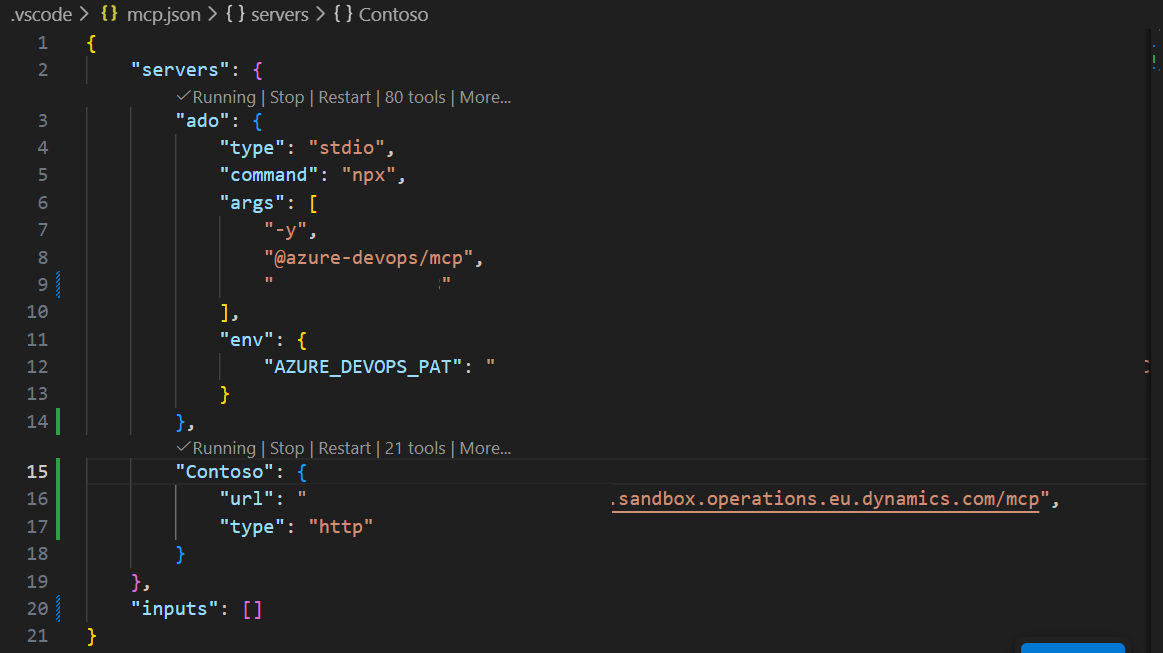
In VS Code I've added both the F&O MCP and the DevOps MCP in the same VSCode project. This is done by installing the Azure Devops MCP extension by Microsoft in VS Code, and also adding the F&O MCP server as a HTTP server endpoint. An alternative approach could be to add the MCP servers in Co-pilot studio, which could be a more suitable solution if the goal is for a lot of users to use the same tools.
DevOps
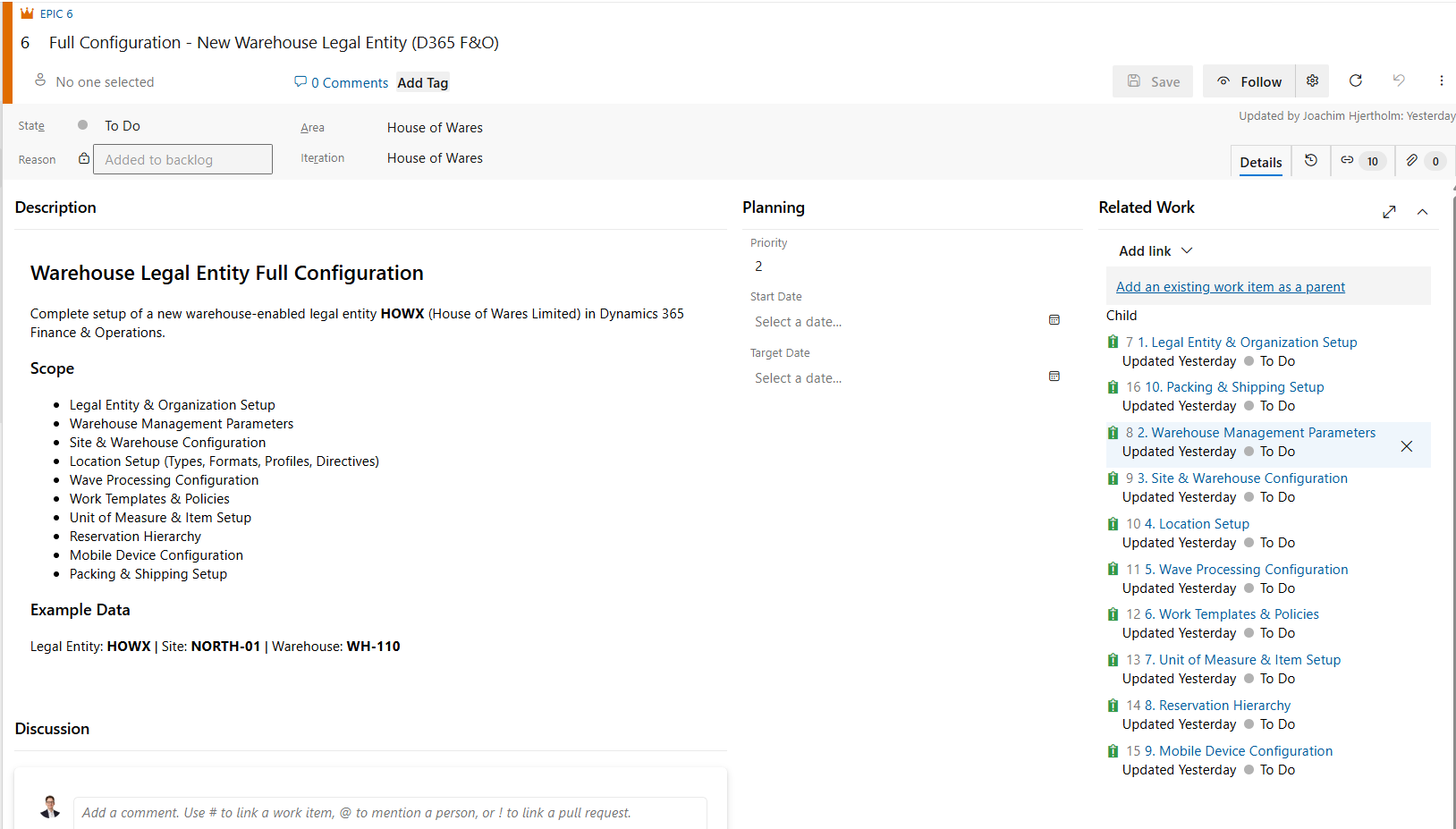
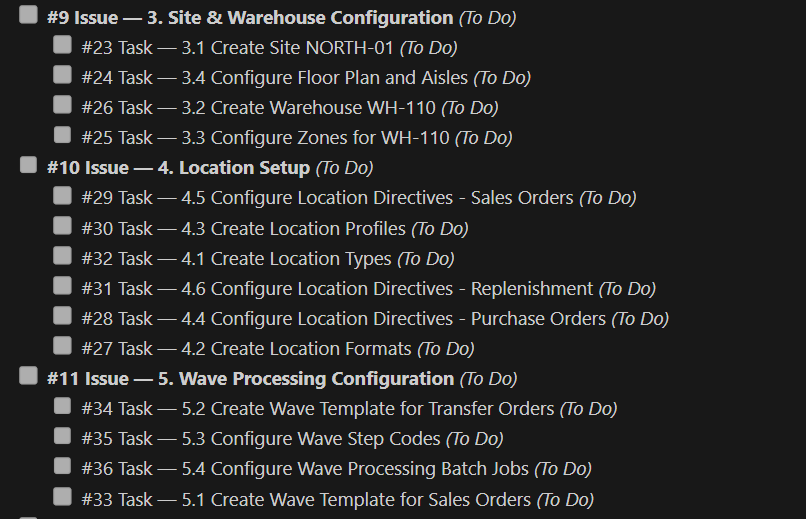
I've also generated an epic in my Azure DevOps Project, which contains a full setup of a legal entity with a focus on a Warehouse and logistics setup. Each track is an issue where there are specific tasks to carry out for each track.
 Here is an example of the structure for some of the issues:
Starting the configuration
To start the configuration I simply insert the prompt for what I want in the VSCode chat, and it starts the agent working with the MCP servers:
- Retrieve Work Items - Fetch work item #6 (Epic) from Azure DevOps, including all associated sub-tasks. This epic contains the configuration details for an F&O legal entity.
- Execute Setup - Using the instructions from the retrieved DevOps work items, configure and set up the new legal entity in the Contoso environment.
- Update Task Statuses - Once each task is completed, update its status to "Done".
- Handle Issues, if any task encounters a problem:
- Leave a comment describing the issue.
- Keep the task status as "Doing" if it was already started.
The total configuration is well over an hour. The agent/D365 MCP tries to use OData entities for configuration, which is the most efficient tool, if it's not able to find a suitable entity, it will go to form configuration and do the steps there, this is for example for work templates or mobile device menu items. If however aren't able to complete the task with the form setup it will do a last approach and try the Finance and operations API services. You can check out the how the agent works in the clip below.
All in all I'm very impressed by the results. The agent managed to complete more or less everything:
9 of 10 tasks completed. WI#8 (WHS Parameters) remains in "Doing" with a comment explaining that the WHSParameters form defaults to the USMF company context rather than HOWX - this needs to be addressed manually or through a different approach.
WI Task Status #7 Legal Entity Setup (HOWX) Done #8 WHS Parameters Doing (blocked - form opens in USMF context) #9 Site & Warehouse Config Done #10 Location Setup Done #11 Wave Processing Done #12 Work Templates & Policies Done #13 UoM & Item Setup Done #14 Reservation Hierarchy Done #15 Mobile Device Configuration Done #16 Packing & Shipping Setup Done
The key deviations documented in ADO comments:
WI#13: Dimension group names truncated to 10 chars (D365 field limit) WI#15: Worker passwords need manual setup (MCP can't set password fields) WI#16: Container type "PALLET" renamed to "PAL-120" (UnitId conflict); Zone assignments use placeholder postal code; accounting currency warning tied to WI#8
The advantage by using Azure Devops as the data source is that it is dynamic and the Agent can easily interact with AzureDevOps and provide a status. This is good in cases you have to stop the Agent, you run out of tokens for the agent to work or it runs into an issue and stops by itself. When you start the agent up again you can simply reference the open task and have it continue from where it left off.
Conclusion
The combination of Finance & Operations and Azure Devops MCP servers is a genuinely compelling workflow for D365 configuration. The full completion of 53 of 56 tasks without any human assistance across complex setup is a result that speaks for itself. For this case there's a lot of setup, so the agent runs for just over an hour to complete everything. Which is a bit of time, but considering the amount of setup and also that models are getting a lot more efficient this isn't a major concern. All in all, it's looks like the F&O MCP server is already extremely powerful.